Paid discovery · The accounts
A Meta ads audit that shows you where your ad budget is really going.
I go through your Meta and LinkedIn ad accounts: how campaigns are set up, who they reach, what the ads say, and whether the results are tracked properly. You get a ranked list of what to change, in plain English.
Start free
See what your landing page looks like from outside first.
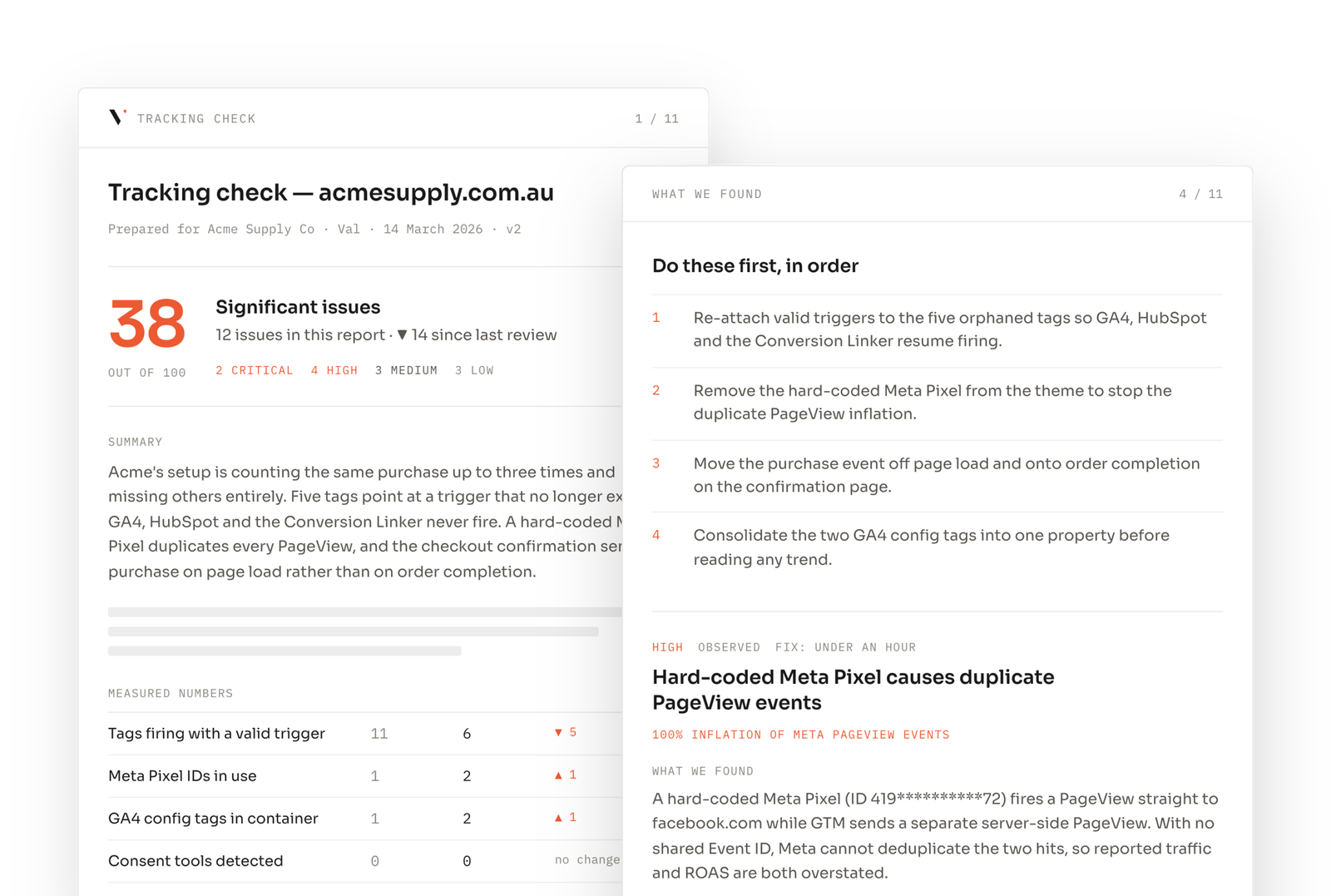
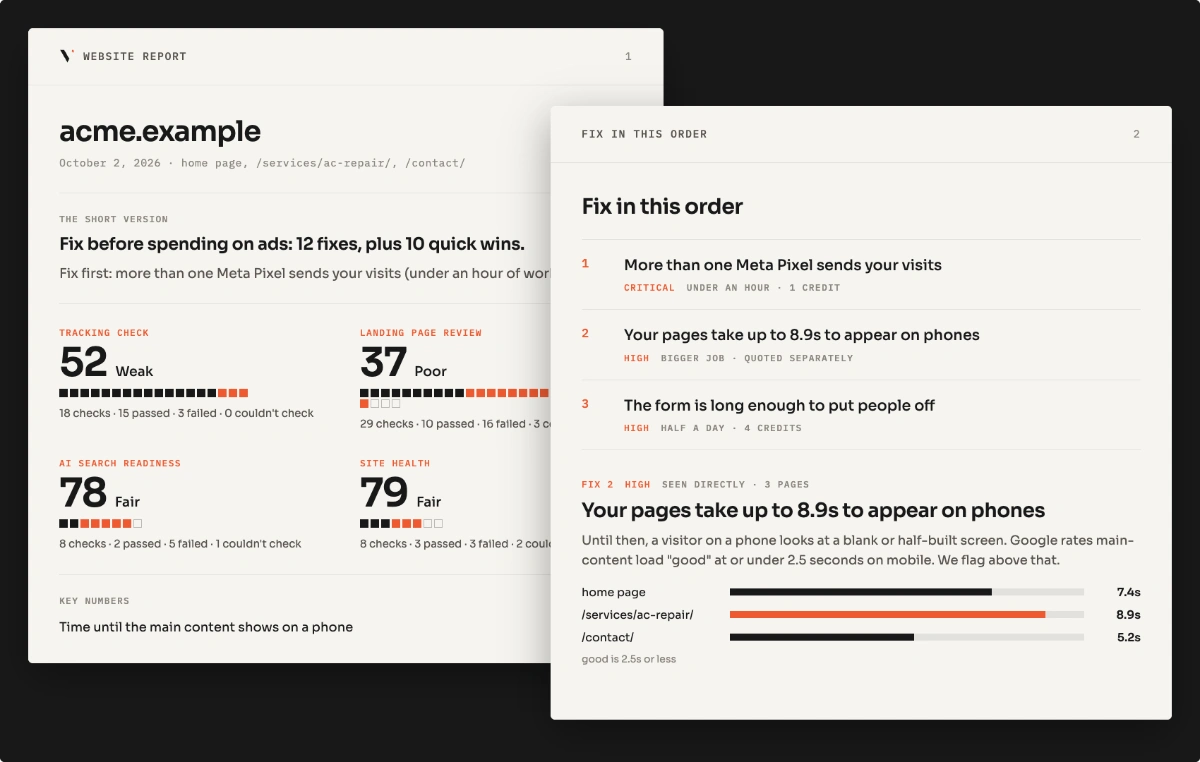
Seven checks on one landing page: tags, duplicate containers, consent blocking, mobile speed, forms. No login.
Already know it's broken?
Who it's for
If any of these sound like your last reporting call, this is the right page.
"Our cost per lead keeps going up and nobody knows why."
Often the audience is worn out, or the ads have run too long.
"Meta shows more sales than we actually made."
Usually the same sale is counted twice.
"We have dozens of campaigns and can't tell which ones work."
Too many small campaigns split the budget and the learning.
"Our agency sends reports, but we don't understand them."
You get a plain-English view of what's working and what isn't.
The picture
One budget, five steps before Meta learns anything useful from it.
Scope
What goes in, and what comes back out.
One Meta account and one LinkedIn account, checked by hand. Every finding says whether I saw it in the account or inferred it from the setup. Running the ads for you is not included.
Questions
What people ask before booking a teardown.
Anything else, write to hi@vlbonite.co and I’ll answer it myself, usually the same day.
A hands-on review of one Meta ad account and one LinkedIn ad account. I look at how campaigns are set up, who they reach, what the ads say, how the budget is split, and how the lead forms work. I also check that results are counted properly: the Meta Pixel, the Conversions API (Meta’s server-side tracking) and the LinkedIn Insight Tag. You get a findings report (each finding marked as seen in the account or inferred from the setup), a ranked list of changes, and a 20-minute walkthrough.
Five business days, one Meta account and one LinkedIn account. The clock starts once access is confirmed. No call needed to start. Fixes are available at fixed prices, shown in your report.
Read-only, always. Meta through Business Manager with view access to the ad account and the pixel in Events Manager, and LinkedIn Campaign Manager as a viewer. No passwords, no changes to live campaigns, and you can remove access the day the report lands.
No. Running the ads is not included. The change list is written so your team or your agency can act on it. If you want the fixes built, the Conversions API setup and account restructure are quoted from the findings.
Then: the build
The teardown tells you what's wrong. The next step fixes it.
Each of these is a fixed scope, quoted from the findings, so the conversation after the teardown is about the work and not the pitch.
Conversions API setup
Meta counts each sale once, even when browsers block tracking.
Account restructure
Fewer, clearer campaigns so the budget works harder.
Conversion tracking audit
Check tracking across Google, Meta and LinkedIn together.
Read first
Find out where your ad budget is really going
Start with the free page scan, or request the teardown directly.